"Training" suggests software that gradually learns your preferences like a puppy. Reality has more layers. Some controls alter behaviour immediately, others alter it slowly and for all users at once, and a few simply make you feel involved.
The ingredients of one reply
The model writes each reply from whatever is visible to it at that moment; how an AI companion writes its reply describes the process. It draws on four inputs:
- The description and settings of the character.
- Memories and summaries fetched for the current chat.
- The most recent messages.
- The base model, as last updated by the company.
Feedback has an effect only if it changes one of those four inputs.
Ranking the controls
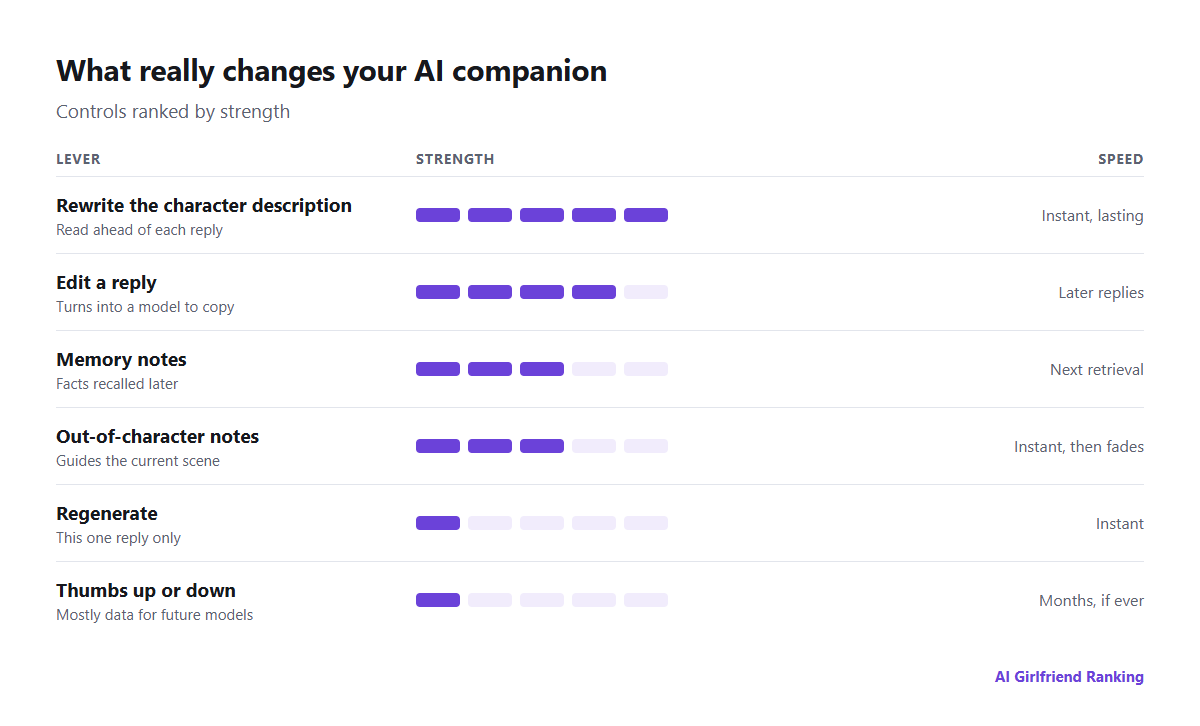
Alter what the model reads, not what it feels about you.
| Method | What it touches | How soon | How much |
|---|---|---|---|
| Editing the character description | Instructions placed ahead of every reply | Right away | Strong and durable |
| Editing a reply | The history the model copies from | Upcoming replies | Strong until it scrolls out of view |
| Memory notes | Facts fed into later chats | When next retrieved | Good for facts, poor for style |
| Out-of-character notes | The current scene | Right away | Wears off as the chat grows |
| Regenerating | Only the reply in front of you | Right away | None past that reply |
| Ratings (thumbs, stars) | Usually training data for later model versions | Weeks to months, if at all | Slight for your character |
Rewrite the reply instead of debating it
Complaining in character ("you're not acting like yourself") rarely works, as the complaint itself becomes text for the model to imitate. Replacing the reply with what the character should have said gives it a right example to follow. If editing is available in your app, this habit returns more than any other.
Where style and facts belong
- Style means tone, how long her sentences run, humour, and her level of warmth. Put it in the character description so that it governs each reply. Which fields matter is covered in our character builder guide.
- Facts are things like your occupation, your dog's name or last week's events. Put them in memory, which brings them up when they apply.
Swapping the two causes trouble: style notes kept in memory resurface inconsistently, while long lists of facts in the description squeeze out the personality.
What ratings are for
Across most apps, ratings go into a company's dataset for model improvement, frequently combined across all users. That can be a fine thing to contribute to, as future versions benefit, but it is not a direct channel to your character. A few apps say ratings shape your companion in particular; even so, the effect builds slowly and is much weaker than a revised description.
Anyone concerned about privacy should check the policy, since a rating may mark that conversation for human review or training, which carries a cost. See who reads your AI companion chats.
A short weekly tune-up
- Make a note of two things you liked this week and one that bothered you.
- Restate the annoyance as a positive instruction in the description ("She answers in brief, dry sentences" rather than "Stop rambling").
- Put any significant new facts into memory.
- Begin a fresh chat when the current one has wandered; lengthy conversations build up quirks, as personality drift explains.
A companion never comes to know you as a person does. Yet it reads you anew every time, via its description, its memory and your latest words. Alter what it reads and you alter who it is.