The idea of "running your own AI girlfriend" sounds like installing one program. What you actually assemble is a trio of parts that work together, and knowing each one's job spares you most of the headaches.
How the setup is split
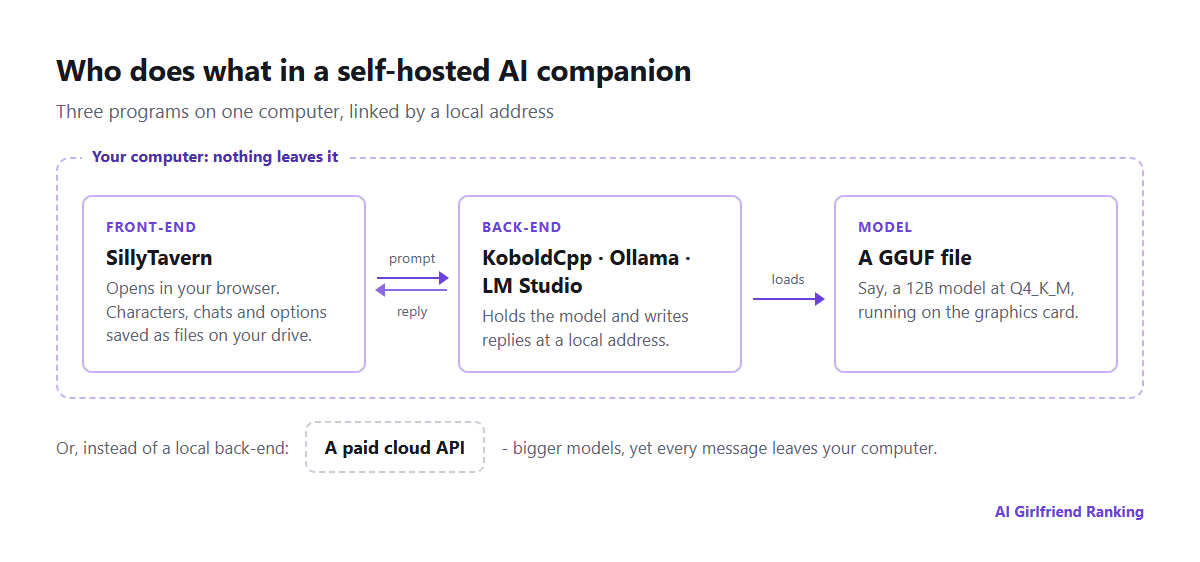
The flow of information between the parts of a typical home setup.
Front-end. This is the screen you work in, with chat, characters, avatars and options. SillyTavern is the standard choice for character chat. It runs in a browser tab, saves characters and conversations as files on your own drive, and can link to almost any back-end. It writes no text by itself.
Back-end. This program holds the model in memory and generates the replies. KoboldCpp is one portable executable with nothing to install, favoured by roleplayers because every generation setting is exposed. Ollama gets a model running with a few commands. LM Studio is a desktop app with a friendly catalogue of models. All of them publish the running model at a local address that the front-end then uses.
Model. One large file, most often in GGUF format, downloaded from Hugging Face. How many parameters it has (8B, 12B, 24B) and how heavily it is compressed, known as quantization, decide both its quality and the machine it needs.
Matching the model to your graphics card
Video memory (VRAM) is what matters. The model has to sit entirely inside it, with spare room for the conversation. Quantization squeezes models down to fit, and "Q4_K_M" is the common middle ground between size and quality.
| Model size | Approx. memory at Q4 | Typical hardware | What to expect |
|---|---|---|---|
| 7-8B | 5-6 GB | 8 GB graphics card | Makes sense and answers fast, but loses detail across long scenes |
| 12-14B | 9-10 GB | 12 GB card | Characters and prose that are clearly stronger |
| 22-24B | 14-16 GB | 16-24 GB card | Gets near the good hosted apps for roleplay |
| 70B | 40 GB+ | Two cards or a high-memory Mac | First-rate, though slow and expensive |
These are ballpark numbers, and a longer context adds to the memory required. On Apple Silicon the processor and graphics share one pool, so a 32 GB MacBook can handle models beyond a 12 GB graphics card. Whenever a model is too big, the overflow goes to the main processor and output slows to a crawl. If replies dribble out a few words a second, choose a smaller model before you try a harsher quantization, since a smaller model done well generally outperforms a larger one compressed too hard.
Reasons to do it
- Privacy that needs no trust. Nothing leaves your machine. There is no retention period, no training on your chats, no staff who can read them and nothing to erase later.
- Only the model's own limits. You choose the model, including those fine-tuned for roleplay. The legal minimum still applies to you, but no operator stacks its own rules on top.
- No plan fees, no credits. Generate as much as you want.
- Characters you actually own. A character card is a normal PNG image with the character sheet tucked inside. It moves from one front-end to another, and no update can revoke it.
- It stays put. A model that works today will behave the same in five years, and nobody can replace it behind your back, the danger discussed in when your AI companion changes overnight.
Costs you accept
- Setup effort. Expect an evening to get a first conversation going, and weeks of adjusting if you enjoy that sort of thing.
- You run the memory. A hosted app quietly summarizes your chats and stores facts about you. Here you do it yourself with SillyTavern's lorebooks, summaries and character notes, the same three mechanisms covered in how AI companion memory works but with the controls visible.
- Pictures and voice are projects of their own. Image generation needs a separate model and generally more video memory, and voice needs speech recognition plus speech synthesis. It can all be done; none of it happens by itself.
- Phones are a poor fit. From home Wi-Fi you can open the front-end. To reach it elsewhere you would have to expose your computer to the internet, which requires care.
- A ceiling on quality. The strongest hosted models are larger than anything most households can run, particularly when it comes to staying consistent over months.
The halfway option, and what it costs you
Plenty of people run SillyTavern on their own computer but point it at a paid cloud API in place of a local model. That keeps the front-end's controls and your character files, opens up much bigger models, and bills per message, which can be inexpensive for light use.
The drawback is privacy. Every message goes to the API provider, which applies its own logging, retention and content rules, often tighter about roleplay than specialized companion apps. It is another trade-off entirely, and it is not a local setup.
Staying safe
- Download programs only from the official project pages on GitHub or the project's own website.
- Take models from well-known uploaders on Hugging Face, and lean toward GGUF files, which contain model data, not runnable code.
- Check each model's licence. Some restrict commercial use and a handful restrict certain content.
- Keep SillyTavern limited to your own computer or home network, unless you have set a password and know what you are opening up.
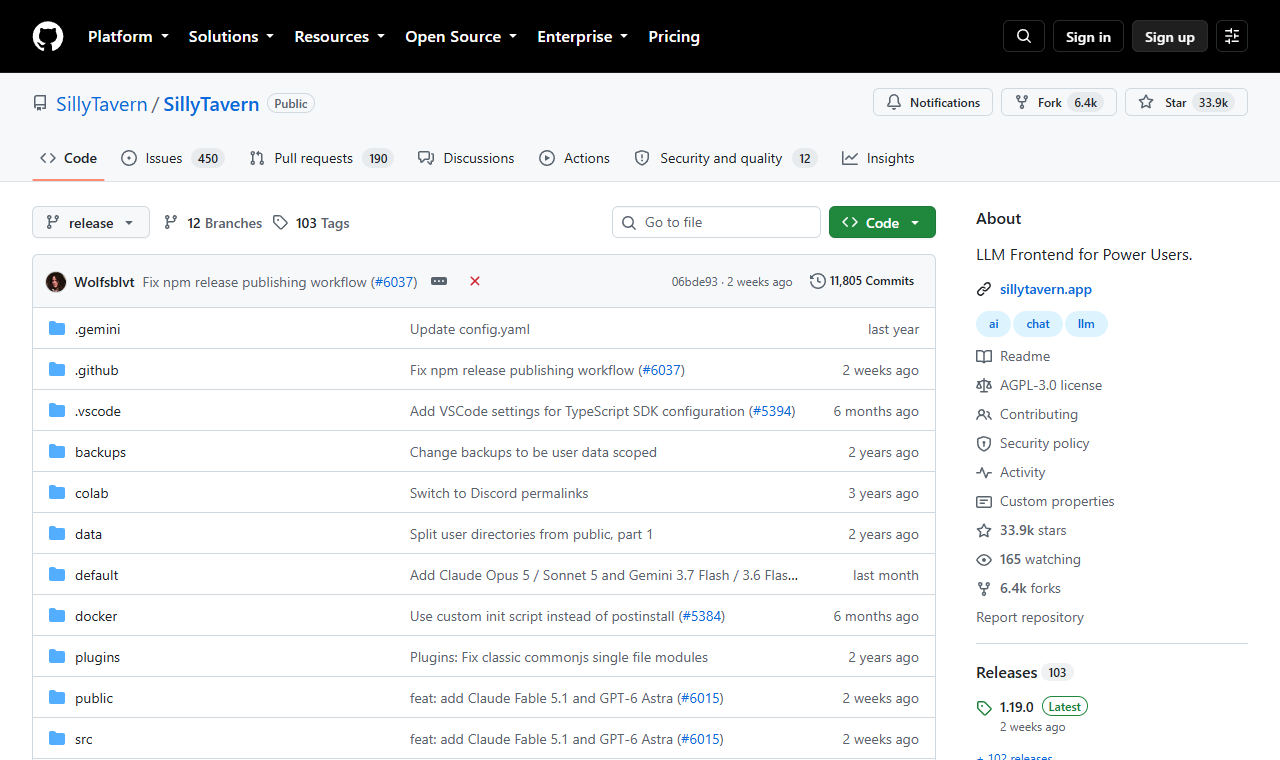
SillyTavern is built in the open on GitHub.
Is it for you?
Go local if privacy is your top concern, if you own capable hardware already, or if tinkering appeals as much as chatting. Stay with a hosted app if you want voice, pictures and long-term memory working straight away, or if most of your chatting happens on a phone. Our guide to choosing a first app covers that path. Many people end up doing both, using a hosted app for convenience and a home setup for the conversations they would rather not have saved anywhere else.