No camera is involved in most apps' "selfies". One model writes out a scene in words, and a second, independent model turns the words into a picture. The advice below all flows from that arrangement; how AI girlfriend images and voice work covers the mechanics.
Why the face keeps changing
- Nothing carries over. Every image is drawn afresh, so without an anchor the face is invented again.
- The wording drifts. When the chat model phrases her looks a little differently each time, you get a different face.
- Busy scenes crowd out features. The more the frame has to show, the less attention goes to what makes her look like herself.
Some apps solve the problem with a saved reference image or a character-trained model. In our testing, Candy AI kept the same face longest. Where an app has no such tool, the habits below do more of the work.
Write her appearance down before anything else
Spell out her looks precisely in the builder or description field before you ask for a single photo. Vague traits such as "pretty, dark hair" give the model too much freedom, and exact ones give it a fixed point:
| Vague | Exact |
|---|---|
| Pretty, dark hair | Black, straight, shoulder-length hair and a fringe of bangs |
| Nice eyes | Green eyes under heavy eyebrows |
| Slim | Slim frame, roughly 5 ft 7 (1.70 m), athletic shoulders |
| Well dressed | Typically oversized knitwear with silver hoops |
Never change that text. When an image looks wrong, compare it against the description, and do not rewrite the description to fit the image.
What to put in each request
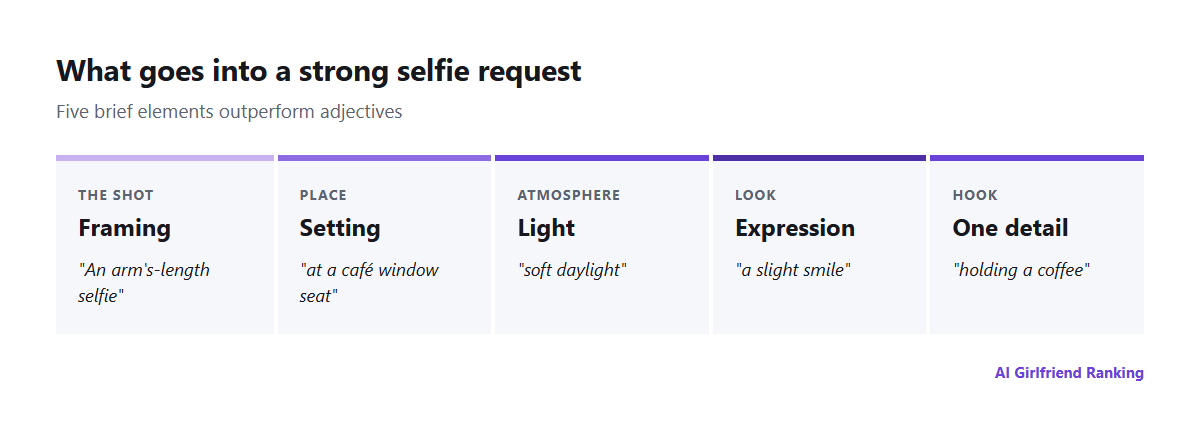
Five short elements do better than adjectives by the paragraph.
- Framing. Selfie at arm's length, bathroom-mirror shot, portrait from the waist up, or full length.
- Setting. Seat by a café window, late-night kitchen, beach as the sun goes down.
- Light. Gentle window light, a warm lamp, harsh flash, or golden hour.
- Expression. Laughing, sleepy, absorbed, or a faint smile.
- One extra detail. Coffee in hand, hair pulled back, a rain jacket.
A request such as "arm's-length selfie, café window seat, soft daylight, faint smile, holding a coffee" will normally beat a long run of words about beauty.
Saving credits
- Vary one thing each time. Is the light wrong? Change the light alone. Altering several things together hides what made the difference.
- Draft in chat, then generate. Have her describe the photo she would send, polish that text, and only afterwards request the picture. Text is cheap or free, but images are not. See the real cost of AI image generation.
- Reuse winners. Note the requests that gave good results and copy their layout.
- Check the cap. Plenty of plans set a daily or monthly image limit, so look before settling in for a long session.
Staying consistent for weeks
- Do not touch the appearance text.
- Include a signature feature in most requests, such as identical earrings or the same hairstyle.
- Avoid extreme angles and strong effects, which warp faces more than anything.
- If the app lets you set a "reference" or "base image", pick it carefully and then keep it.
Privacy and consent
The company stores the pictures it generates, frequently at addresses that are more open than you might expect; see where your pictures actually live. Two rules come out of that:
- Never base a character on a real person's photo. Face-swap features have been used to make sexual images of real women without their consent, and exposed storage in 2025 left thousands of them publicly viewable. In Canada, section 162.1 of the Criminal Code makes publishing or sharing an intimate image without consent an offence, and the definition covers realistic AI-generated or manipulated images.
- Think about your own face before you upload it. It puts a picture of you in a database that is out of your hands.
A good AI selfie mostly takes precision at the start and steadiness afterwards. The model handles the painting, and how much is left to luck is your call.